FACEBOOK PROFILE PICTURES FOR BOYS
Awesome profile Pictures For Boys Collection Click here to see
VIEW LOCKED FACEBOOK PROFILE PICTURE
Privacy on Facebook is a big issue Facebook users are concerned about, Facebook even provided the profile display picture locking facility in the past to
USE WHATSAPP WITHOUT ANY MOBILE NUMBER – COOL WHATSAPP TRICK
This whatsapp trick is tweaky, you can use whatsapp without number that means not with your own number.
HOW TO HACK FACEBOOK ACCOUNTS WITH BACKTRACK 5
Step 1 : Open set Tool in Backtrack 5 : To open it follow the step shown above.......
3 BASIC TIPS TO PREVENT A DDOS ATTACK
Distributed denial-of-service (DDoS) attacks are always in top headlines worldwide, as they are plaguing websites in banks, and virtually of almost every organization having a prominent online presence.
Showing posts with label whatsapp. Show all posts
9 Feb 2015
Back Up And Restore Whatsapp Chat
WhatsApp makes automatic backups of your chats, but you can also make a manual backup. On iOS, it’s Settings > Chat Settings > Chat Backup, then tap Back Up Now.
On Android, just go into Settings > Chat settings and tap Backup conversations to create a backup. This won’t backup your media, so you’ll need to use a file manager to copy the media folders in /sdcard/WhatsApp/Media.
There’s no way to restore chats directly from WhatsApp, so if you want to restore a backup you’re going to have to uninstall and re-install WhatsApp. When you start WhatsApp after the re-install, you should be prompted to restore your most recent backup. Just follow the procedure and your chats should all be back.
27 Jan 2015
WhatsApp Spy Your Friend's Account
Most Wanted among Tricks WhatsApp : Well, most of you want to spy on your friend / lover ' s WhatsApp to know who else has chat , what kind of talk they do, etc. So here is the trick.
Install Spymaster PRO that will provide the ability to track and read the entire conversation of their teenagers and Cheating Spouse track shared pictures / video with time - timestamp too.alternative
The above application is very powerful, but you'll pay for it. So better be a free alternative that is here.
What we are about to do ? Well, WhatsApp check the MAC address of a phone. If you try to change it, WhatsApp will ask you to confirm your phone number . So , we have a loop hole . If you will be able to change the MAC address of your phone to the MAC address of the victim , you can access his / WhatsApp account from your phone .
Install Spymaster PRO that will provide the ability to track and read the entire conversation of their teenagers and Cheating Spouse track shared pictures / video with time - timestamp too.alternative
The above application is very powerful, but you'll pay for it. So better be a free alternative that is here.
What we are about to do ? Well, WhatsApp check the MAC address of a phone. If you try to change it, WhatsApp will ask you to confirm your phone number . So , we have a loop hole . If you will be able to change the MAC address of your phone to the MAC address of the victim , you can access his / WhatsApp account from your phone .
Follow These Steps:
1. Install Buysbox ( for rooted device ) or not Rooted BusyBox - (for the phone without root)
2.Install Android Terminal Emulator
3.Head up Tip # 5 and meet multiple account and install WhatsApp on your Android
4. Get your victim for 10 minutes and seek his / her MAC address: the location is For Android Settings >> About phone >> State >> Wi -Fi MAC address for iPhone (Settings >> General >> About Wi -Fi >> addresses ) for Windows Phone (Settings >> About >> More Info >> MAC Address ) and BlackBerry (Options >> Device >> Device and Status info >> WLAN MAC )
5.Follow this Llink to learn how to spoof the MAC address.
6. Enter the phone number of the victim's WhatsApp, check it by entering the verification code received on the cell phone of the victim.
7. That's it. Now you can spy the victim completely WhatsApp ID .
using fake number on whats app
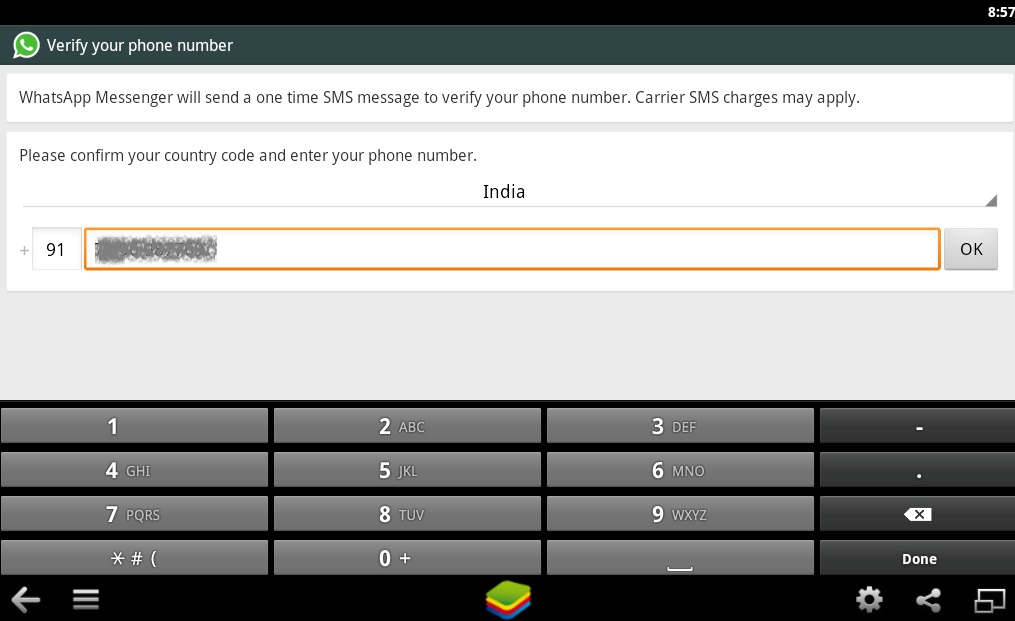
In our previous post we told you how to use Whats Apps on windows . In this post we tell you how to use fake number in Blue Stacks Android using Whats Apps .
Install whats App on Blue Stacks
now !! it will prompt you for your number :p here you apply the tricks using a fake number.
For fake number we use Pinger provides free text service on web and gives you a number . you can also use any other text free service .
signup here and get a fake number from pinger
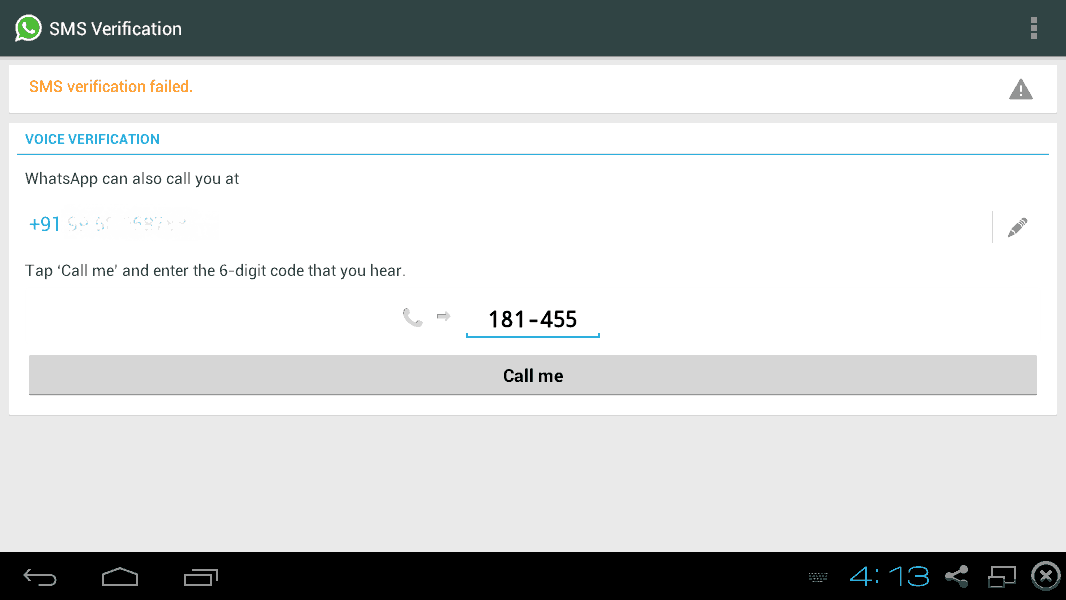
whatsApp send a verification code on fake number you provided . check your pinger inbox and when you got a code enter it here and volla :p you are ready to use whats app using fake number.
enjoy and share virus volt :p
s
Change Whatsapp Number Without Losing Messages
The most traditional way that most users do WhatsApp to change your number you uninstall and reinstall WhatsApp with the new number. If you do the same , all previous messages are lost.
So instead of using this form , change your number, scroll to Settings >> Account >> Change Number . Here , enter your old and new number and press ' Done' . WhatsApp will send a number and they will get checked .
Their conversations will be kept intact .
So instead of using this form , change your number, scroll to Settings >> Account >> Change Number . Here , enter your old and new number and press ' Done' . WhatsApp will send a number and they will get checked .
Their conversations will be kept intact .
WhatsApp Tricks Theme Change
Bored of the same theme WhatsApp ? Yes you can change the wallpaper , status , profile picture, but the issue remains the same. So , if you want a completely new interface for your then install WhatsApp WhatsApp PLUS Holo .WhatsApp Provides default theme " HOLO " but there are plenty of other ways to customize your interface WhatsApp.Other topics are also provided .
WhatsApp Hide Your Profile Image
Due to privacy concerns , or anything else , if you want to hide your profile picture WhatsApp and do not want to put any pic then WhatsApp Plus screen help you.There are many fakes available for WhatsApp Plus online to make sure you download this application from a trusted source.
Once installed , this application allows you to hide your profile WhatsApp images from other friends. And therefore , you can make an anonymous chat .
Whatsapp Change Your Friend's Profile Picture
You can not really change WhatsApp photo of a friend from your phone in the world , but can be changed to your phone so that every time someone goes to check on his WhatsApp , he / she will see your photo profile assigned to that friend. Therefore, it would be a great way to tease your friends.
Note - Disable WiFi / data connection to WhatsApp not automatically update the pic .
To Do This, Follow These Steps :
1. Download Image weird-looking/funny to allocate to your friend 's profile pic WhatsApp .
2.Change the size of 561 x 561 pixels and the name of the cell phone number of your friend using WhatsApp .
3. Save the image to the SD >> card WhatsApp >> Profile Pictures . Overwrite the existing file (if necessary ) .
4. Now, you show your friend the pic your profile WhatsApp instant panic invite her face.
Note - Disable WiFi / data connection to WhatsApp not automatically update the pic .
WhatsApp Hide Last Seen For The WhatsApp
Timestamp Last seen gives us an idea about when the person you want to chat was online. It's a great feature, but the function becomes really annoying because it reveals whether you are online , and no. You can not hide from your friends and they'll keep talking to you.
So if you want to hide this " last seen in the" time stamp account then download WhatsApp application will not last seen. After installation , select the option to hide their " Last seen in the ' time stamp . NO ROOT REQUIRED .
use whats app on PC/Laptop
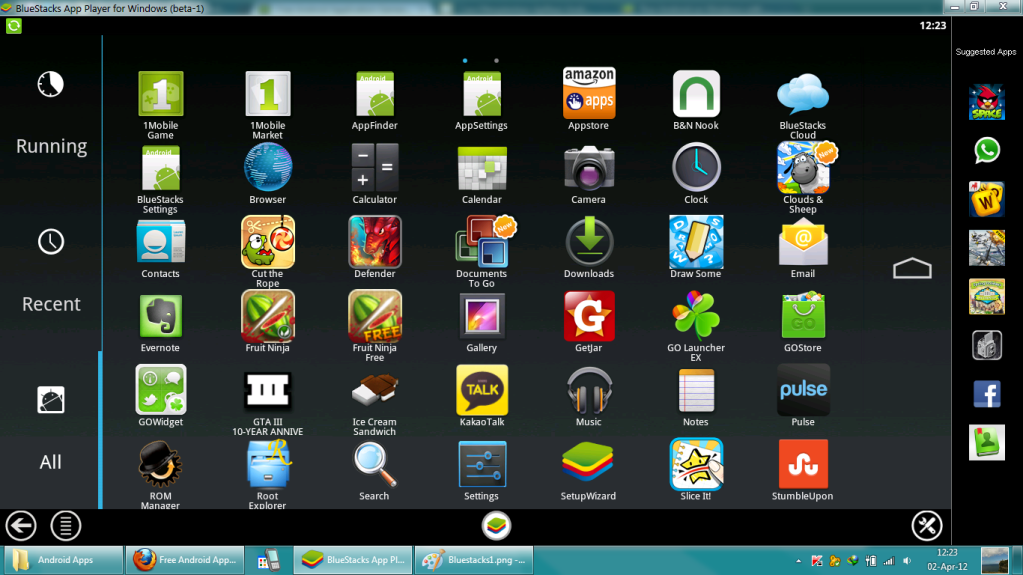
BlueStacks Anroid Emulator
if you'r Android Apps lover and you want to use Apps on your PC/Laptop , and you don't have android Phone don't worry , In this post we we tell you about Blue Stacks Android Emulator.
apps fast and fullscreen in your browser and on PC.
download link:http://www.bluestacks.com/app-player.html
installation take 25-30 minutes and you get all Android Google play store apps on your desktop
you can also use Whats App Facebook skype and my others with dual accounts :p
check post how to use whats App on bluestacks without your contact number :p
enjoy and share :p
Turn Off Automatic Image Download WhatsApp
While before, plus WhatsApp application was needed to stop the automatic download of pictures, videos and audio files, but now, WhatsApp has added this option to your configuration. Thus, you can control the file download automatic means.
Simply go to Settings -> Chat Settings -> Technical self-discharge -> Check appropriate option "By using mobile data ','When connected 'Wi-Fi' and 'roaming'.
That's it.
Simply go to Settings -> Chat Settings -> Technical self-discharge -> Check appropriate option "By using mobile data ','When connected 'Wi-Fi' and 'roaming'.
That's it.
SENDING PUBLIC MESSAGES PRIVATELY ON WHATSAPP
If you’ve got a generic announcement to make - an invite to a weekend BBQ or an intervention about your friend's unhealthy obsession with KFC - and you don’t want to do it on the loudmouth platform that is Facebook, this feature works in pretty much the same way as BCC-ing people in an email.
Your recipients will get the message as if it was a privately composed one, oblivious to the fact that you’ve sent the exact same invite to 342 other people. Sincerity? What's that?
How: On the top left hand corner of your WhatsApp Chats window, just below the search bar, you’ll notice a Broadcast Lists. Tap on it for the option to create a new list of contacts you want your message to go out to, and message away like you would normally.
TIED TO YOUR NUMBER ON WHATSAPP
If you’re overseas and you get a new data sim, there’s no need to go through the hassle of registering the new number attached to the SIM and faff around adding contacts. Just carry on using WhatsApp with your regular number.
How: When you put your new SIM in and activate WhatsApp, you’ll be prompted by the messaging service to register the new number. But doing so will mess up your contacts list. Just ignore the pop-up or cancel it, and your WhatsApp should work linked to your old number, while using your new data SIM.
SEE WHEN YOUR WHATSAPP MESSAGES ARE READ
Think the double blue ticks are the worst thing to happen to relationships since Last Seen? Think again. Here's another way you could annoy your mates.
In addition to finding out the exact time your messages are delivered, you can also choose to see the exact time your message was read if you choose to stick with the ticks.
How: Go to any of your WhatsApp chats, tap and hold on any of the messages you’ve sent in that chat, followed by the Info option. For iOS users, you can also drag towards the left to reveal a window which will show the time your message was delivered and subsequently read.
It works for group messages too with the window listing the time each participant read the message.
24 Jan 2015
How To Run Multiple Whatsapp Accounts in Single Phone
Yes it is now possible to run two whatsapp account in a single mobile. There is an application called OGWhatsapp with the help of it you can use multiple whatsapp account in your android device.
>> DOWNLOAD OGWHATSAPP FOR 2 WHATSAPP ACCOUNT <<
OGWhatsApp: Whatsapp is now a days a big source of sending and receiving messages. It becomes a trend to chat with the friends. 90% of younger generation is now using whatsapp application in their mobile. And they use it on a regular basis.
Here now the biggest question comes in everyone’s mind is that…
- can we use multiple whatsapp in a mobile??
- can we use whatsapp dual sim??
- can we have dual whatsapp account??
- can we use 2 whatsapp account in single phone??
The more and more questions arises. So here we are having a solution for your question.
Whats is OGWhatsapp??
- OGWhatsapp is a modded version of Whatsapp messenger for Android devices.
- It is used to use 2 whatsapp account in one single android device i.e. dual whatsapp account for whatsapp dual sim
- OG Whatsapp doesn’t require to ROOT your android device. [NO NEED OF ROOT]
STEPS TO INSTALL OGWHATSAPP IN YOUR ANDROID DEVICES FOR 2 WHATSAPP ACCOUNT:
1. First take the full backup for your messages and data before going through OG WhatsApp:
2. Clear whatsApp data:
3. Go to /sdcard/WhatsApp folder and rename it to /sdcard/OGWhatsAp:
4. Uninstall Official WhatsApp
5. Install OGWhatsApp (Download links are given at bottom)
6. It will ask for your number. Give the old number which you have installed in official Whatsapp earlier.
7. Click OK
8. Now your OGWhatsApp is ready for old number
9. For second number to use, go to play store and download official WhatsApp application
10. It will ask for your number. Give the new second number.
Thatsheet: Now your mobile having multiple – 2 whatsapp account in single device (Whatsapp Dual Sim)
>> DOWNLOAD OGWHATSAPP FOR 2 WHATSAPP ACCOUNT <<
UPDATED: New Version – (January – 2015)
- Based on the latest WhatsApp version
- Support ART runtime system (Tested on Android 4.4.2)
- Hide bars when clicking the preview picture
- Option to hide the name & the date when copying more than one message
WhatsApp Trick to Create Fake WhatsApp Chat / Conversation
You can create fake whatsapp chat with celebrities and amaze your all friends by showing that. You can make them fool by making fake whatsapp chat with a big star Tom Cruise, Bill Gates, Mark Zuckerberg etc.
All you can do these types of WhatsApp Prank with your buddies by an android application called WhatSaid – Download WhatSaid App for Android
Now with this app, you will be able to create fake whatsapp conversation with anyone by simply inserting their pictures, name and then create your own messages (Fake messages)